

Garmin Watch Repair – Fix Broken Garmin
A broken Garmin watch can look pretty serious when the screen goes black, charging stops, GPS acts strange, or the battery suddenly disappears in a day. Luckily, plenty of Garmin problems can be traced to software, dirty charging contacts, damaged cables, stuck buttons, or settings. This guide covers common Garmin watch failures, possible fixes, repair costs, official support options, and buying broken Garmin watches for restoration.
What are you looking for?
- Garmin Watch Fix Common Issues
- Garmin Watch Repair Cost
- Garmin Service Center Near Me Finder
- Buy Broken Garmin Watch
- Broken Garmin Watch FAQ
Broken Garmin Watch? Fix Common Garmin Watch Problems and Issues
Garmin watch will not turn on or has a completely black screen: A Garmin that looks completely dead may simply be frozen or deeply discharged. Connect it to a known-good power source and try holding the power button for an extended period. Garmin recommends a forced restart for unresponsive watches. If nothing changes after several hours of charging, test another compatible charging cable before assuming the watch itself has failed.
Garmin watch will not charge: Dirty or corroded charging contacts are a common cause of Garmin charging trouble. Garmin recommends cleaning the contacts on both the watch and cable with rubbing alcohol and a cotton swab. Also inspect the charging pins for damage. A replacement Garmin-compatible charging cable is worth trying before paying for a repair.
Garmin battery drains much faster than normal: Before blaming the battery, check for recent software updates, always-on display settings, Pulse Ox monitoring, GPS usage, music playback, Wi-Fi, backlight brightness, and notifications. These features can dramatically affect runtime on models like the Fenix, Forerunner, Venu, Vivoactive, Instinct, and Epix. Garmin also recommends updating the watch software when unexplained battery drain occurs.
Garmin watch freezes or gets stuck on the triangle logo: Garmin watches can occasionally freeze during startup, syncing, or software updates. Hold the power button until the watch shuts down, then restart it. Garmin specifically recommends this procedure for frozen watches and devices stuck on the blue triangle. If the watch repeatedly reboots, install all available firmware updates through Garmin Connect or Garmin Express.
Garmin touchscreen is not responding correctly: Touchscreen models such as the Venu, Vivoactive, Epix, and certain Fenix watches can stop responding because of moisture, gloves, screen protectors, dirt, software glitches, or physical display damage. Clean and dry the screen, restart the watch, and remove an aftermarket protector temporarily. A cracked digitizer or persistent dead area usually requires professional repair or device replacement.

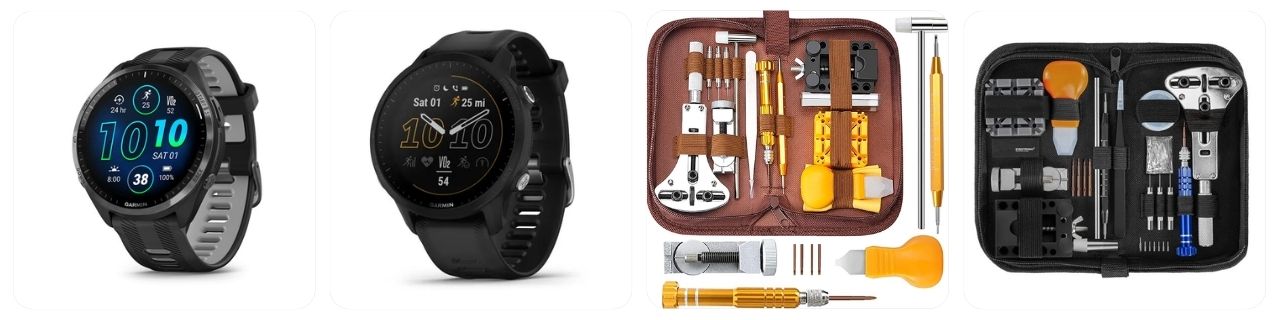
JOREST Watch Repair Kit for Battery Replacement & Link Removal, Resizing &Opener, Watch Repair and Cleaning Screwdriver Set, Wrench Back Remover, Spring Bar Tool

JOREST Watch Battery Replacement Kit, Watch Repair Screwdriver, Watch Band Replacement tool, Watch Wrench Back Remover, Watch Case Opener, Watch Back Remover Holder, Spring bar, Tweezers

Watch Link Removal Kit, BYNIIUR Watch Repair Kit, Watch Case Opener Spring Bar Tools, Watch Battery Replacement Tool Kit, Watch Band Link Pin Tool Set with Carrying Case and Instruction Manual
Garmin watch buttons are stuck or difficult to press: Sweat, salt, dirt, sunscreen, and debris can accumulate around Garmin’s physical buttons, particularly on watches used for running, hiking, swimming, and outdoor sports. Rinse the watch according to Garmin’s care instructions and work the buttons gently. Never force a jammed button with a sharp object because damage around the button can compromise water resistance.
Garmin GPS takes too long to connect or gives inaccurate distances: A GPS problem does not automatically mean the antenna is damaged. Sync the watch with Garmin Connect so current satellite information can be downloaded, install firmware updates, and start activities outdoors with a clear view of the sky. If GPS remains wildly inaccurate across multiple activities and locations, an antenna or internal hardware issue may require Garmin support.
Garmin heart-rate sensor is not reading correctly: Erratic optical heart-rate readings can result from a loose fit, cold skin, tattoos, heavy movement, sweat, or dirt covering the sensor. Clean the underside of the Garmin, move it slightly above the wrist bone, and tighten the band comfortably. For training accuracy, you can also pair a compatible Garmin heart-rate chest strap.
Garmin watch no longer connects to the phone: Bluetooth pairing problems are common after phone upgrades, operating-system updates, app changes, or a Garmin reset. Restart both devices, confirm Bluetooth is enabled, update Garmin Connect, and remove and re-add the watch through Garmin Connect rather than pairing only through the phone’s Bluetooth menu. Persistent failures may require resetting network or pairing settings.
Garmin watch has a cracked screen, damaged bezel, or broken case: Impact damage on a Garmin Fenix, Epix, Forerunner, Venu, Instinct, or Vivoactive can affect more than appearance. A cracked display or case can compromise water resistance and eventually expose internal electronics to moisture. A Garmin screen protector can prevent future scratches, but an already cracked display generally needs professional repair or replacement.
How much does a Garmin watch repair and maintenance cost?
Garmin repairs work a little differently from traditional mechanical-watch servicing. Depending on the model, country, warranty status, and type of failure, Garmin may offer troubleshooting, an exchange, a refurbished replacement, or other service rather than replacing individual internal parts. The figures below are general USD estimates, not fixed Garmin prices.
- Diagnostic inspection: Approximately $0 – $75 depending on warranty status, local service arrangements, troubleshooting requirements, and shipping costs.
- Replacement charging cable: Approximately $15 – $40 for a Garmin or compatible charging cable when the original cable has failed.
- Button or charging-contact repair: Approximately $75 – $200 when corrosion, worn contacts, or damaged physical controls require specialist repair.
- Battery-related service: Approximately $100 – $250 when declining battery performance requires Garmin service or device exchange rather than DIY replacement.
- Touchscreen or display repair: Approximately $120 – $350 depending on Garmin model, display type, digitizer damage, and parts availability.
- Garmin Forerunner repair: Approximately $100 – $300 depending on model generation, battery, display, button, GPS, or motherboard problem.
- Garmin Fenix repair: Approximately $150 – $450+ for display, charging, sensor, battery, case, or major electronic problems.
- Garmin Venu or Vivoactive repair: Approximately $100 – $350 depending on AMOLED/LCD display damage, touchscreen faults, battery issues, or internal electronics.
- Garmin Epix repair: Approximately $175 – $500+ because premium AMOLED displays and higher-value hardware can make major repairs more expensive.
- Out-of-warranty device replacement: Approximately $100 – $500+ depending on model, age, region, Garmin exchange availability, and replacement-device pricing.
Before spending money on a repair, compare the quote with the current replacement value of the Garmin. This matters especially with older Forerunner, Vivoactive, Vivosmart, and Approach models, where a discounted newer watch can sometimes cost only slightly more than an extensive third-party repair.
Garmin also states that many fitness and outdoor watches use rechargeable lithium-ion batteries that are not designed to be replaced by the user. Opening the case yourself can damage seals, charging contacts, internal flex cables, antennas, or the display and may permanently reduce the watch’s water resistance.
JOREST Watch Repair Kit for Battery Replacement & Link Removal, Resizing &Opener, Watch Repair and Cleaning Screwdriver Set, Wrench Back Remover, Spring Bar Tool
JOREST Watch Battery Replacement Kit, Watch Repair Screwdriver, Watch Band Replacement tool, Watch Wrench Back Remover, Watch Case Opener, Watch Back Remover Holder, Spring bar, Tweezers
Watch Link Removal Kit, BYNIIUR Watch Repair Kit, Watch Case Opener Spring Bar Tools, Watch Battery Replacement Tool Kit, Watch Band Link Pin Tool Set with Carrying Case and Instruction Manual
Garmin Watch Repair & Service Center Near Me
For a Garmin that cannot be fixed through normal troubleshooting, the best starting point is the official Garmin Support Center. Enter or select your exact Garmin watch model so the support site can show model-specific troubleshooting, manuals, software information, warranty options, and available contact methods.
This step is especially important because repair options can differ substantially between a Garmin Forerunner, Fenix, Epix, Instinct, Venu, Vivoactive, Approach, MARQ, Lily, Descent, or another product family. Garmin may also handle certain failures through a device replacement or exchange program rather than repairing the individual component.
If troubleshooting does not solve the problem, use the official Garmin Contact Support options to discuss the problem directly with Garmin. Support availability and repair procedures vary by country, so use the country selector on Garmin’s website if you are outside the United States.
Before contacting Garmin, have the watch model and serial number ready. Also make a note of exactly what the watch is doing—for example, “stuck on triangle,” “battery lasts four hours,” “will not charge,” “GPS does not acquire satellites,” or “touchscreen has a dead area.” Specific symptoms can help support determine whether the problem is software, a cable, charging contacts, battery degradation, or actual hardware damage.
If the Garmin will still connect to Garmin Connect, sync it before sending it away. That helps preserve uploaded activities and settings associated with your Garmin account. You may also want to photograph the watch from the front, back, and sides before shipping it, particularly if there is existing cosmetic damage.
Avoid opening a warranty-covered Garmin yourself. Garmin states that many wearable batteries are not user-replaceable, so a DIY battery swap can involve opening a sealed case, disconnecting small internal components, and resealing the watch afterward. Even if the watch turns on afterward, incorrect resealing can destroy the original water resistance.
For watches that suddenly stop charging, Garmin specifically recommends cleaning the charging contacts, trying a reliable power source and cable, installing current software, and allowing the device to charge for several hours before concluding that the battery has failed.
Broken Garmin Watch For Sale
Thinking about buying a broken Garmin watch as a DIY repair or restoration project? Below, you’ll find listings for Garmin watches that may need servicing, replacement parts, or other repairs. Before purchasing, carefully review the item description, photos, seller feedback, return policy, and stated condition, and complete your own due diligence to make sure the watch is suitable for your repair skills and budget.
Broken Garmin watches can be interesting projects, but they are quite different from restoring a traditional quartz or mechanical watch. Inside a Garmin you may find a rechargeable lithium-ion battery, motherboard, GPS/GNSS antenna, Bluetooth hardware, optical sensors, charging contacts, display, digitizer, vibration motor, flex cables, and carefully sealed case construction.
A listing that says “won’t turn on” could simply have a damaged charging cable or deeply discharged battery—but it could also have water-damaged electronics or a dead motherboard. Similarly, a watch advertised as needing “just a battery” should be treated cautiously unless the seller has actually diagnosed the problem.
Pay particularly close attention to water-damaged Garmin watches. Corrosion can spread across charging contacts, circuit boards, sensor assemblies, connectors, and display components. Even after a damaged part is replaced, restoring the original water-resistance rating can be difficult outside a properly equipped repair facility.
Model compatibility is also important. Parts from one Garmin Fenix, Forerunner, Instinct, Venu, Epix, or Vivoactive generation should not automatically be assumed to fit another. Screen dimensions, connectors, batteries, cases, buttons, motherboards, and sensors may differ even when two watches look nearly identical.
Broken Garmin Watch Repair FAQ
Can the battery in a Garmin watch be replaced?
Many Garmin fitness and outdoor watches use rechargeable lithium-ion batteries that Garmin describes as not user-replaceable. If battery life has become extremely short, first clean the charging contacts, update the software, charge the watch for several hours, and test another cable. If the battery really has deteriorated, contact Garmin about available service or replacement options.
Why won’t my Garmin watch turn on even after charging?
The watch may be frozen rather than completely dead. Garmin recommends connecting an unresponsive device to a reliable power source and performing a forced restart by holding the power button for an extended period. Also inspect the charging cable and pins. If the display remains blank after prolonged charging and troubleshooting, hardware service may be necessary.
Why does my Garmin watch keep freezing or rebooting?
Repeated freezing can be caused by outdated software, corrupted data, a problematic Connect IQ app or watch face, storage issues, or hardware trouble. Restart the watch and install the latest Garmin software. If the problem started after installing a new watch face or app, remove it. Persistent reboot loops should be reported to Garmin Support.
Is it worth repairing an old Garmin watch?
That depends heavily on the model. Repairing a premium Fenix, Epix, MARQ, Descent, or newer Forerunner can make financial sense, while a major repair on an older entry-level model may approach the cost of a replacement. Compare the repair or Garmin exchange price with the current price of a newer equivalent before deciding.
Can I still swim with a Garmin after replacing the screen or battery myself?
You should not assume the original water resistance remains intact after opening the case. Garmin watches depend on precisely fitted seals, adhesives, case hardware, buttons, and sensor assemblies. A home screen or battery replacement may work electrically while still allowing water into the case, so pressure or water-resistance testing is advisable before swimming with the repaired watch.
Related posts


Popular Articles
Recent Articles
- Timex Watch – Price List and Dealer Finder
- Timex Watch Parts & Diagram
- Timex Watch Repair – Fix Broken Timex
- Timex Watch Service Center & Dealer Near Me
- Pre-Owned Tudor Watches: Trusted eBay Sellers
JOREST Watch Repair Kit for Battery Replacement & Link Removal, Resizing &Opener, Watch Repair and Cleaning Screwdriver Set, Wrench Back Remover, Spring Bar Tool
JOREST Watch Battery Replacement Kit, Watch Repair Screwdriver, Watch Band Replacement tool, Watch Wrench Back Remover, Watch Case Opener, Watch Back Remover Holder, Spring bar, Tweezers
Watch Link Removal Kit, BYNIIUR Watch Repair Kit, Watch Case Opener Spring Bar Tools, Watch Battery Replacement Tool Kit, Watch Band Link Pin Tool Set with Carrying Case and Instruction Manual